
Reservations and appointments
Answer availability questions, collect the required details, and confirm a booking through an authorised system. Route unusual requests to the team with the context from the call.
Discuss this workflowAvyaa AI Voice Agent
Answer questions, look up records, and complete permitted actions over the phone. Avyaa brings voice conversations into the workflows your business already runs.

In practice
A useful voice agent needs more than a natural voice. It needs the right knowledge, access to the right systems, and a clear boundary for handing work to a person.
Answer availability questions, collect the required details, and confirm a booking through an authorised system. Route unusual requests to the team with the context from the call.
Discuss this workflowRestaurants · Lending · Appointments · The next desk you run on the phone
The voice is only useful if the answer is true and the action can be completed in the business system.
Business numbers for inbound and outbound lines.
Natural voice that stays inside the desk brief.
Answers grounded in assigned sources.
Only the connectors explicitly granted to the agent.
Permitted work completed inside your systems.
Outcome written back for review.
Control plane
Define the job, the knowledge, and the actions available to each agent. Keep the conversation connected to the work.
Configure inbound and outbound conversations around your greeting, business hours, and contact rules.
Set the voice, instructions, knowledge, and boundaries for the job. A booking line and a customer update line can serve different purposes.
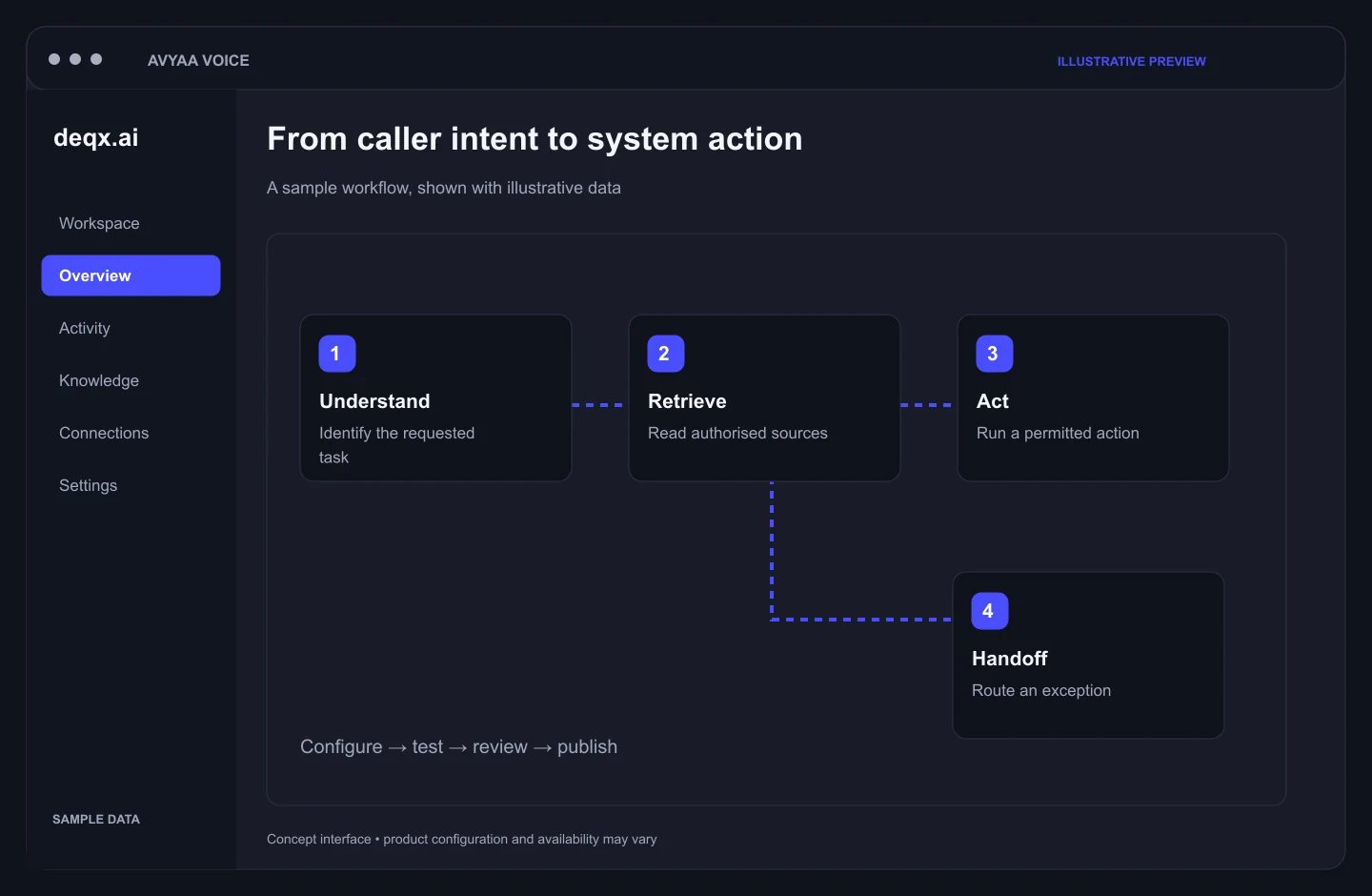
Retrieve information through authorised tools. When the required record is unavailable, use a defined fallback or handoff.
The same control plane covers intake, escalation, and review.
The agent asks before taking personal details, checks what it heard, uses the permitted business tool, and writes the outcome back to the system. Reservation: Caller → Details → Availability → Reservation → Confirmation. Loan: Customer → Required information → Application → Status → Next step.
When the caller asks for someone, the request exceeds the agent's authority, required information is unavailable, or the situation needs human judgment, the call moves to the appropriate team member. The agent does not independently approve, reject, or change a loan. Flow: AI Agent → Boundary Detected → Human Team.
Each interaction can retain transcript, tool actions, call outcome, system actions, and review information inside the workspace. Managers can review what was said and what was done.
Avyaa fits teams whose work still starts on the phone, and whose answer has to match a live system.
On a call
Illustrative workflows show how the same platform can support different business conversations.
A guest asks for a table for four. The agent checks availability, confirms the time and name, and records the reservation through the booking system.
A customer asks about an application. The agent retrieves the authorised status and explains the next step. Approval decisions remain in the lending process.
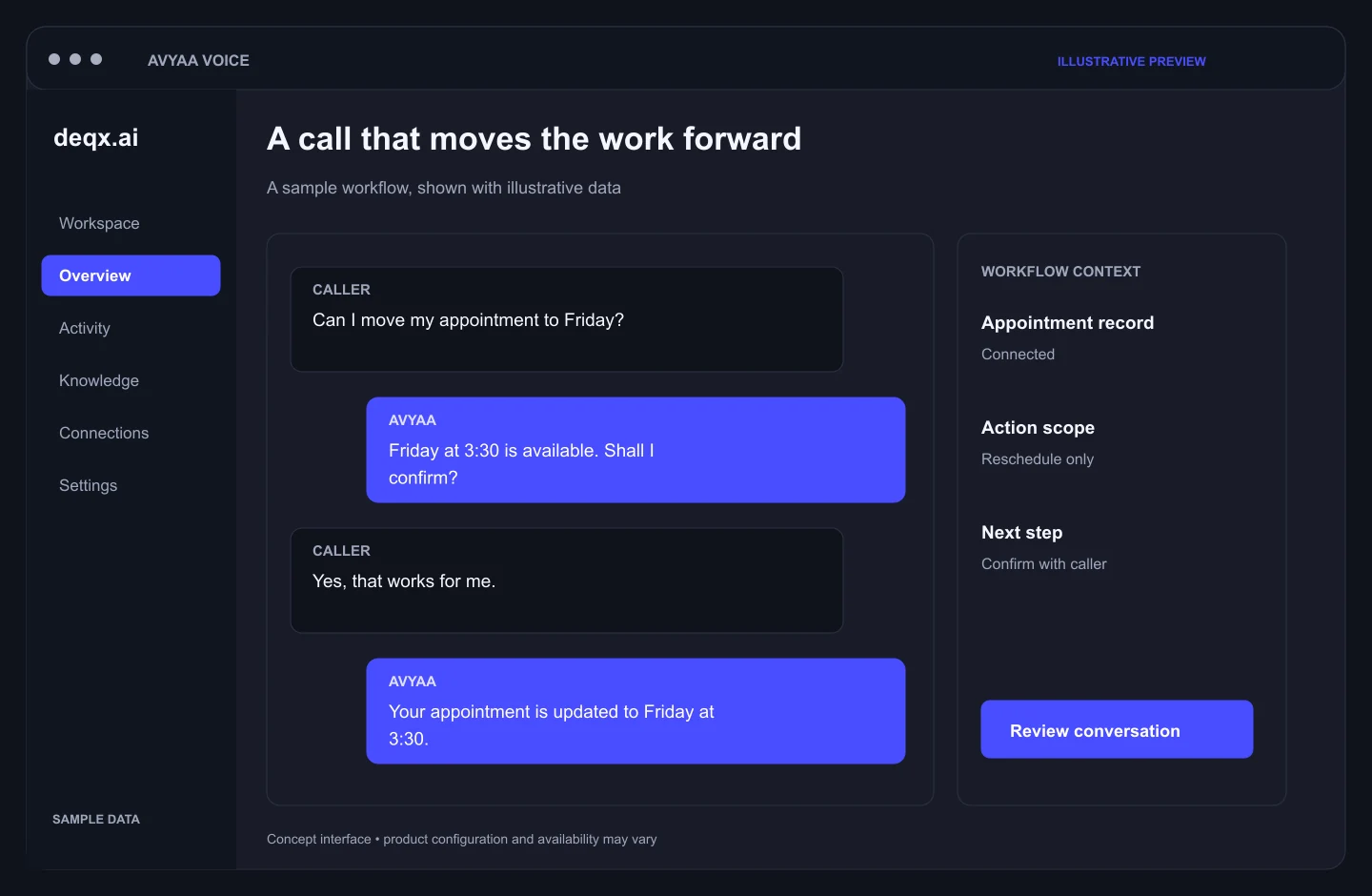
A caller needs to move an appointment. The agent checks available slots, confirms the change, and updates the booking through the assigned tool.
Outcomes that show up on the phone line and in the system of record.
During service hours or after hours — the line still gets a capable desk.
The caller hears an agent that understands that business instead of a generic bot.
Teams spend more time on conversations that actually require a person.
Completed actions are tied to the business systems the organization already trusts.
A new business does not need a new platform. It needs a brief, a connection to its system, and a trial on real calls.
01
Restaurant, lending, appointments, or the next one. Define greeting, questions, required information, allowed actions, and boundaries.
02
Reservation, loan origination, scheduling, business APIs, and internal tools — only the actions explicitly granted.
03
Simulator → phone number → real conversation. Review wrong answers, awkward turns, missing information, and handoffs.
04
Start with one number and one job. Expand questions, languages, knowledge, and tools after calls perform correctly.
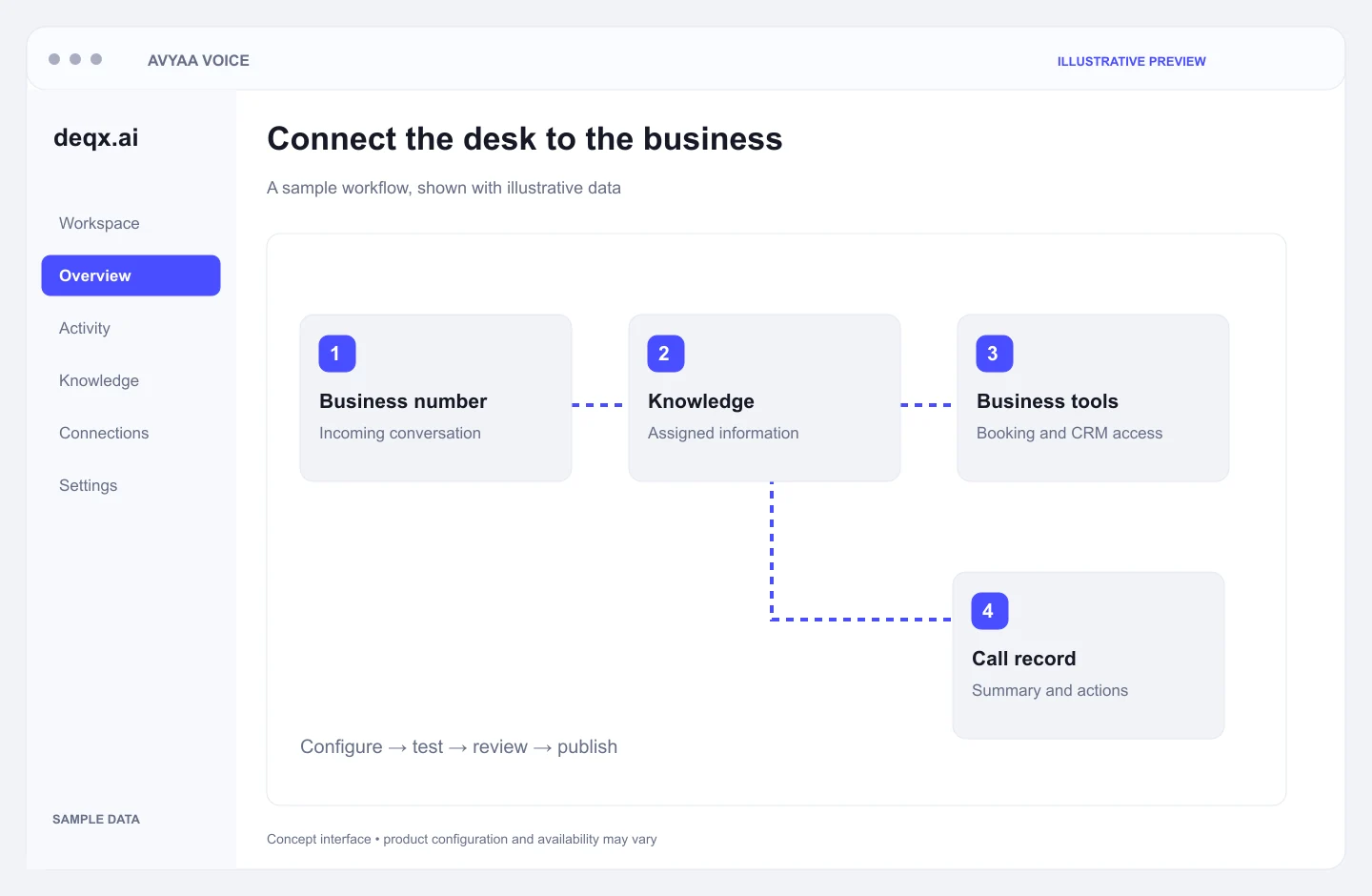
The voice is only useful if the answer is true. Avyaa connects the call to your tools and keeps a record of what it ran. Path: Phone → Voice Agent → Knowledge + Tools → Business Systems → Action + Record.
Business numbers for inbound calls, outbound calls, dedicated business lines, and multiple assigned agents.
Loan origination, booking tools, scheduling, business APIs, and internal applications. The agent can perform an action only when the relevant tool is enabled. Off by default → Explicitly assigned → Available to the agent.
Menus, product terms, branch hours, policies, and knowledge documents. Where supported, answers can trace back to the source used.
Connectors for CRM, helpdesk, and ops tools. Outbound programs for offers, notices, reminders, and follow-ups — with controls for time windows, consent, suppression, and concurrent call limits.
Define → Connect → Test → Launch → Learn → Expand — starting from the phone line you already run.
Enterprise trust
Enterprise controls for workspaces, authority, consent, and credentials — so a voice agent can act without becoming an unbounded decision-maker.
Each business operates within its own workspace. Agents, calls, knowledge, and connectors stay in-tenant. Isolation across restaurants, lenders, and other desks.
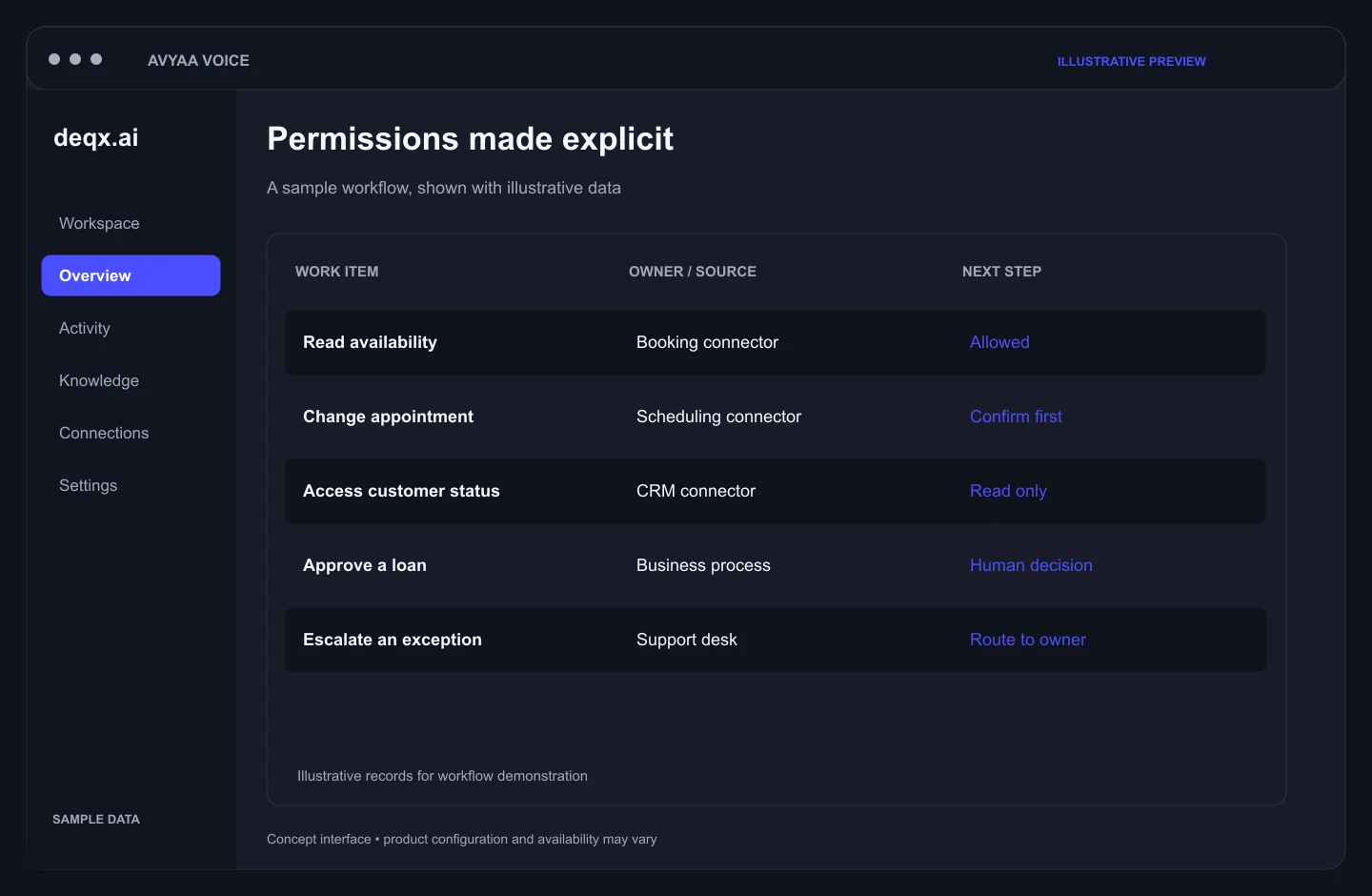
Tools start disabled. An agent receives only the actions assigned to it. Sensitive steps can require one-time approval. Each action is written to an audit trail.
The agent can confirm a booking, report a loan status, provide information, and notify a customer. Approval, rejection, and disbursement stay in your process.
Outbound campaigns respect consent, suppression lists, and calling windows. When recording is enabled, the caller receives a spoken notice and can refuse. Transcripts and tool traces remain available for review.
Encrypted connector tokens, signature-checked phone webhooks, and server-side provider credentials. No provider secrets exposed in the browser.
Use representative calls and your own operating rules to review the agent before rollout. Agree on the evidence and acceptance criteria with your team.
Authority
Tool Disabled → Permission Granted → Agent Action → Audit Record.
Connectors start off by default.
Only explicitly assigned actions become available.
The agent runs the permitted tool during the call.
Each action is written to an audit trail.
Next step
Bring the calls you want covered: a restaurant line, a loan desk, or both. We will map the greeting, the questions, and the system the agent should use, then run that call with you. Tell us the business, the phone job, and the system of record. We will show the agent on that job before you open the line.
Primary path to see the agent on your script.
Restaurant line, loan desk, appointments, or the next desk.
Your questions
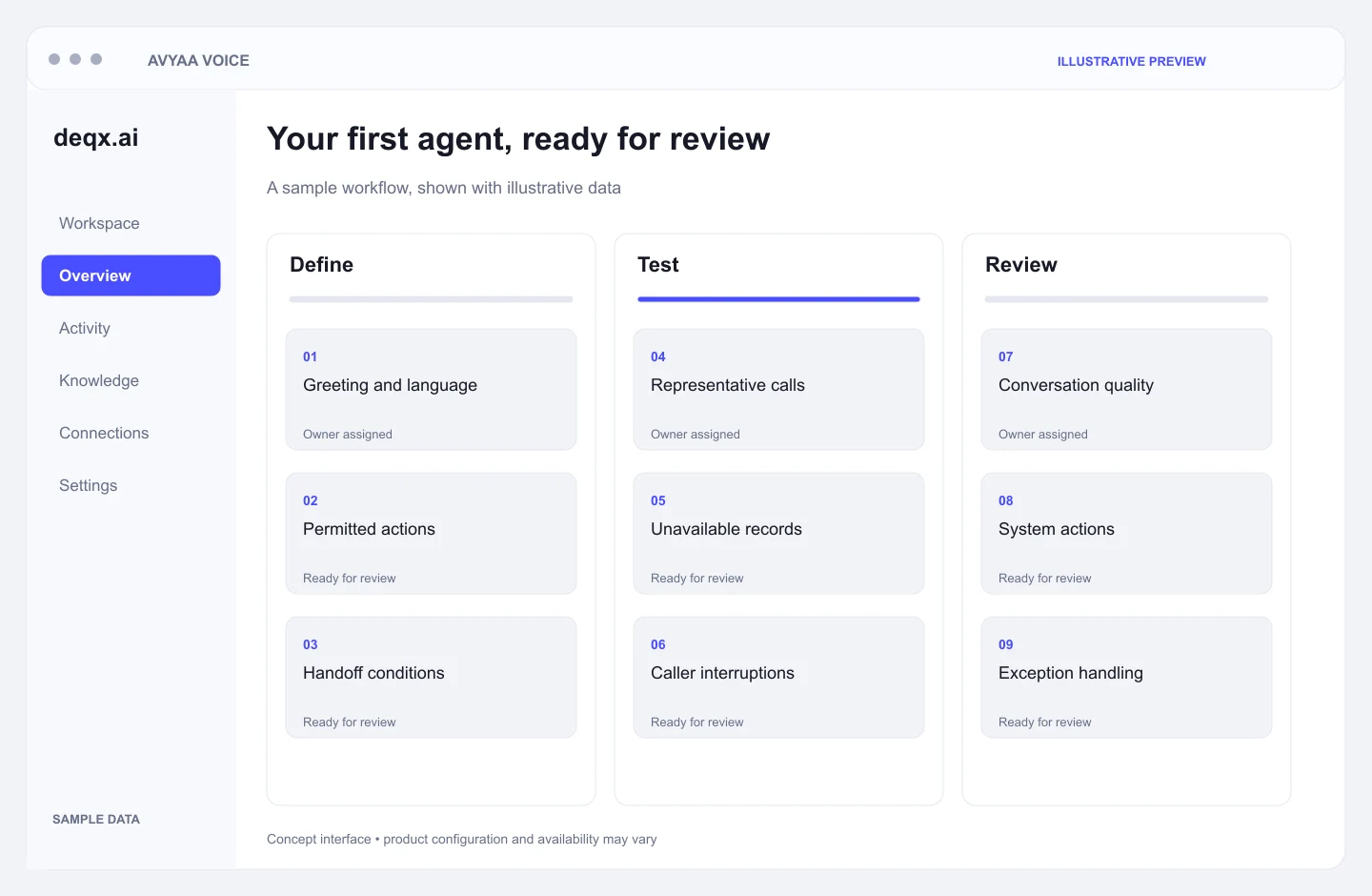
Configure handoff conditions around caller requests, missing information, exceptions, and tasks outside the agent’s authority. Agree on a fallback route before going live.
The voice workflow can explain information returned by an authorised system and collect required details. Lending decisions and other approvals remain with the responsible business process and people.
Test representative calls, accents, interruptions, unavailable records, and handoffs. Review the results with your team before expanding the workflow or call volume.
Discover other solutions that complement this product.
Explore fashion concepts, refine visual direction, and build production-ready creative briefs with AI-assisted tools that keep your team in control.
Connect leadership priorities with operational context. Avyaa AI Company OS brings business signals, strategic initiatives, and accountable follow-through into one executive workspace.
Avyaa AI Copilot connects knowledge, conversations, and everyday workflows so your teams can find context, support customers, and move work forward.
Bring storefronts, customer conversations, orders, and fulfilment into a connected commerce operation, with AI-assisted insights for the teams running it.